
Interior Design
- Time Duration : 12 weeks
- Study Lecture : 35 Lectures
- Skill Level : Advance Course
- No. Of Students : 8-10 per Batch
- Projects covered : 15 to 20
- Certificate : Yes
More Courses For You !
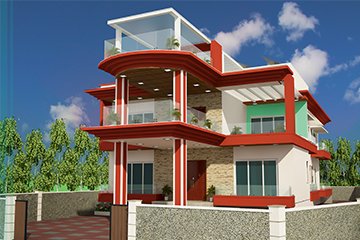


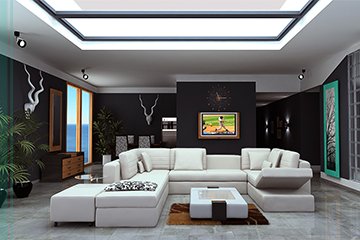
This course is a combination of learning new methods in Interior Architecture Design such as 2D & 3D Software, learning basics of the Interior design which is not taught in colleges/universities and implementation of the knowledge gained through case studies & Live Project Work. Course is starting with Importing CAD plan with space planning, Creating 3d models & furniture. Once modelling has been done, Material, texturing, lighting has been started with variety of options according to project.
Projects includes – Interiors of Residential and Commercial Properties.
- 1/2/3/4 BHKs Flats
- Bungalows, Duplex & Villas
- Offices & All Commercial Spaces
- Exhibition Stall & Open Plots
- Products Renders -Metal, Glass, Fabric
- 360 View, Bird-eye View, Night View etc.
Interior 3D Design & Visualization Course Syllabus
Module 1: Architectural Drafting & Foundation
Interface & Workspace Setup: Customizing preferences, units, limits, and coordinate systems.
2D Drafting Commands: Mastering precision drawing tools, modifying commands, and layer management.
Annotating & Dimensioning: Adding text, dimensions, Hatching, and creating reusable Blocks.
Blueprint Analysis: Reading and converting architectural 2D floor plans, sections, and interior elevations into clean digital templates.
Layouts & Plotting: Setting up viewports, scale configurations, and exporting to PDF/DWG formats.
Module 2: Rapid 3D Modeling & Concept Design
Introduction to 3D Space: Navigating the 3D environment, axes, and basic drawing tools.
Component & Group Creation: Organizing geometry efficiently to optimize file performance.
Residential & Commercial Modeling: Constructing walls, doors, windows, and customized built-in furniture.
Material Application: Importing external textures, scaling, and orientation mapping.
Extension Warehouse: Utilizing plugins for organic modeling, section cuts, and rapid workflow acceleration.
Module 3: Advanced Production Modeling
Interface & Scene Management: Customizing viewports, command panels, layers, and asset tracking.
Spline & Polygonal Modeling: Working with Editable Splines, Extrude, Lathe, and Editable Poly tools.
Architectural Import Workflows: Importing clean 2D/3D data
Interior Asset Modeling: Building detailed architectural elements like false ceilings, detailed wall paneling, moldings, and customized furniture pieces.
Modifier Stack Mastery: Utilizing essential modifiers such as Turbosmooth, FFD, Symmetry, and Shell.
Module 4: Photorealistic Rendering & Lighting
Global Illumination (GI): Understanding light bounces, engine setups, and optimization for fast rendering.
Camera Setup: Adjusting exposure, focal length, depth of field, and composition rules.
Natural & Artificial Lighting: Setting up Sun & Sky, HDRI environment lighting, IES lights for spotlights, and Light Material for LED strips.
Material Creation: Crafting complex shaders for realistic textures including wood grain, polished marble, glass, metals, fabrics, and wall paints.
Render Elements & Output: Configuring channels like Reflection, Refraction, Ambient Occlusion, and Z-Depth for professional post-production.
Module 5: Digital Post-Production & Presentation
Render Enhancement: Adjusting color balance, levels, curves, and contrast of raw 3D outputs.
Compositing Elements: Blending render channels to enhance shadows, specular highlights, and reflections.
Entourage Integration: Adding realistic human figures, background scenery, and indoor plants.
Texturing & Weathering: Adding micro-details, dirt maps, and ambient light glows to create lived-in, photorealistic atmospheres.
Module 6: Agency Workflows & Portfolio Development
Real-World Project Briefs: Executing 3D visuals based on actual residential and commercial site constraints.
Walkthroughs & Animation: Setting up camera paths and exporting seamless architectural 3D walkthrough videos.
Client Presentation Standards: Organizing high-end digital design boards and layout configurations.
Professional Portfolio Curation: Assembling a high-impact physical and digital 3D visualization portfolio for the job market.